


I love a good analogy. They’re a great way to make complicated ideas digestible for non-experts. Most people are like diners at a restaurant—hungry for insight into how the world works, but without the time or training to cultivate cross-disciplinary expertise and turn raw theory into yummy answers.
See what I did there?
Mark Blyth’s recent article in The Atlantic, The World Economy Is on the Brink of Epochal Change, is an extended analogy casting the world economy as a supercomputer. It’s exactly what you’d expect from an American political economist with a layperson’s understanding of technology: smart-sounding, persuasive on the surface, but unfortunately myopic in the range of “upgrade” options considered.
That link is a paywall-free gift article. Take five minutes to read it. I’ll wait.
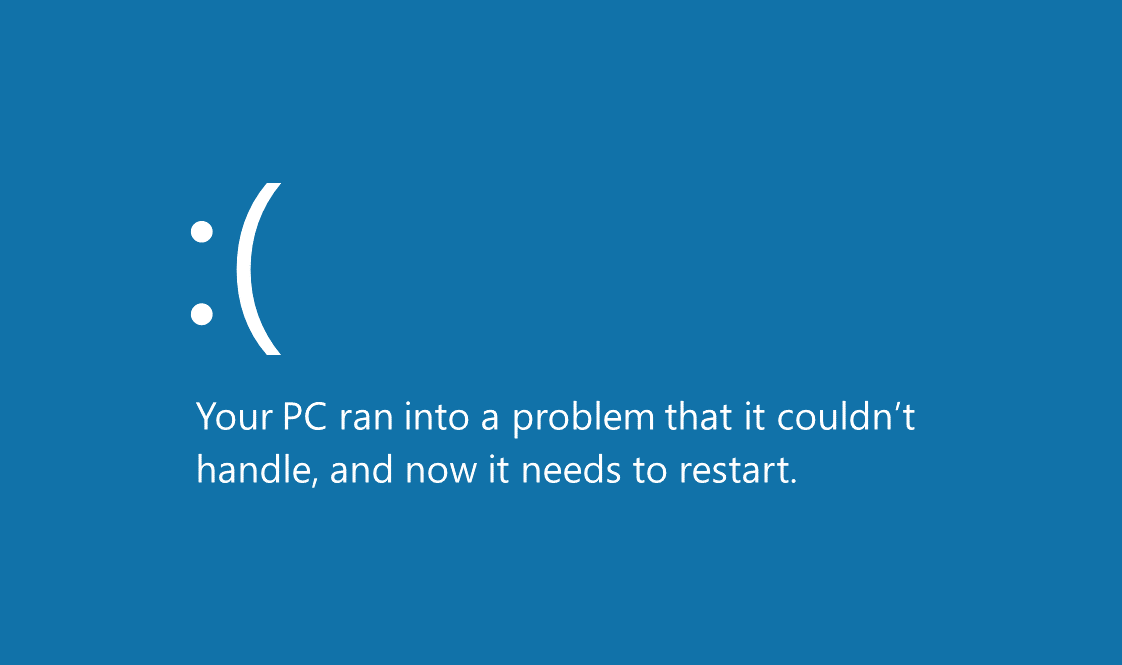
Blyth’s analogy is worth exploring. Everyone knows what it’s like to wrestle with a sluggish computer—clicking in frustration while nothing responds, staring at a frozen screen, wondering if throwing the whole thing out the window might help. That intuitive frustration makes his framing accessible, even persuasive.
Because Blyth isn’t a technologist, I’ll give him a pass for conflating the operating system with the full hardware-software stack—and for mistaking a soft reboot for a hardware upgrade. But he is a university-affiliated political economist, writing for a mainstream (read: American capitalist) outlet. So if we want to get the most out of this analogy, we’ll have to rebuild it from the struts up—as we technologists say—and see what happens when we separate the stack into its proper layers, strip away the ideological shortcuts, and ask what kind of system we really want to be running.
But before we break out the architecture diagrams and get under the hood, let’s flag two critical oversights in Blyth’s setup.
First, while he labels it “the world economy,” what he’s actually describing is the American economy—complete with its historical operating systems, recent update failures, and current user interface bugs. The few non-U.S. references he makes (Brexit, China, the EU) aren't examples of alternative systems, but reactions to American exports: neoliberalism, economic nationalism, and the Trump-era populist firmware patch no one asked for. In essence, we’re being offered a U.S.-centric upgrade menu for what is allegedly a global machine.
In reality, there is no single machine. The "global economy" is a networked system—more data center than desktop—with multiple independently managed computers, each running its own operating system on its own hardware. The United States is one of them. So is China. So is Germany, even if its Wi-Fi still routes through Brussels. These systems interact, conflict, sync, and crash. Sometimes they copy each other’s code. Sometimes they install ransomware on their trading partners. But they remain, fundamentally, discrete.
Second, and perhaps more consequential, Blyth treats capitalism and "the world economy" as interchangeable—like confusing the operating system with the computer itself. It’s a clever sleight of hand, framing capitalism not as one option for running the economy, but as the only way the machine can run at all. The result? Readers are offered a choice between web browsers compatible with Windows—because the author really likes Windows, and you should too.
The world economy is like a supercomputer that churns through trillions of calculations of prices and quantities, and spits out information on incomes, wealth, profits, and jobs. This is effectively how capitalism works—as a highly efficient information-processing system.
To step back from all that conflation and truly clean up the simile, let’s start with a more neutral definition—one that both capitalist and socialist economists can live with: the world economy is like a network of computers that organizes humanity’s production, distribution, exchange, and consumption of goods and services. It takes in inputs like land, labor, and human ingenuity; it directs processes like manufacturing, logistics, and finance; and it outputs everything from food and housing to profits, wages, and public infrastructure.
This definition says nothing about how those decisions get made—whether through markets, planning, democratic deliberation, or dice rolls. It just describes the system we rely on to keep ourselves clothed, fed, and (ideally) not rioting in the streets.
Defining the Stack
To make any sense of the economy-as-supercomputer analogy, we need to break the system into manageable layers. This is how technologists think when something’s not working: isolate the problem, figure out which part of the stack it lives in, and decide whether you need a patch, a reboot, or a total rewrite. We’re going to keep it simple—just four layers: hardware, operating system, applications, and networking. That’s enough to cover what’s fixed, what’s configurable, what’s visibly political, and what’s quietly structural. It’s not a perfect model, but it beats arguing in circles about “capitalism” without defining your terms. Think of it as a schematic for how societies process material life into social outcomes—and why sometimes the fans start whirring and smoke comes out the back.
Hardware
Let’s start with the hardware—the physical machine itself. In the real world, most people buy their computers with an operating system already installed, so they tend to assume the two are a package deal. But technically, they’re not. You can wipe Windows and install Linux. You can boot a Raspberry Pi with something your friend wrote in his garage. Sure, some operating systems are better optimized for certain processors, but others will run on anything that turns on. That flexibility is part of what makes computing interesting—and economic systems, too.
Unfortunately, the hardware options for each computer in the world economy network are a bit more limited. We’ve got one planet, one species, and a rapidly narrowing range of habitable climate zones. In this analogy, the hardware consists of our environmental constraints and our biological operating limits—what the planet makes available, and what human beings are wired to do with it. Physics is physics. Evolution is slow. There’s no swapping out the motherboard, and nobody’s coding a patch for gravity or greed.
That doesn’t mean things can’t improve. Hardware upgrades do happen—just not in the way software people like to fantasize about. Sometimes new resources are discovered: fossil fuels, rare earth minerals, entire labor forces we hadn’t gotten around to exploiting yet (oops). Other times, human societies develop new capabilities—like the scientific method, the germ theory of disease, or the awkward realization that magic isn’t real. These don’t change the physical environment itself, but they do expand what’s possible within its limits—and occasionally help us stop doing quite so many dumb things with it.
Historically, major hardware upgrades include the harnessing of fire, the invention of agriculture, the domestication of animals, the scientific revolution, and that moment when someone figured out you could boil water to do mechanical work. Notably absent from that list: stock buybacks, NFTs, or Goldman Sachs interns who can write Python. As much as capitalism likes to congratulate itself, most of its supposed breakthroughs are just apps that run on top of hardware breakthroughs somebody else already made.
Operating System
If hardware is the physical machine, the operating system is the invisible layer that makes it usable. It brokers communication between the machine and the apps—deciding what gets access to which resources, when, and under what rules. You don’t get to run Photoshop or Firefox without the OS letting them talk to the processor, memory, and disk. It sets the terms for how the whole system operates.
In our economic analogy, that’s the role of capitalism and socialism. These are the two main operating systems available for organizing economic activity. They both exist to turn the same basic hardware—human effort, natural constraints, and technological discovery—into usable outcomes. But they allocate resources and permissions in very different ways.
Capitalism routes decisions through markets, assigning ownership and control to individuals or firms who then deploy those resources for private gain. If the right to use land, labor, or capital can be bought and sold, you’re running capitalism. It doesn't require democracy, just property rights, enforcement mechanisms, and a steady supply of buyers and sellers. Control is decentralized in theory—but in practice, it often accumulates at the top.
Socialism, on the other hand, treats those same inputs as shared resources and uses collective planning to decide how they’re distributed. The aim is to serve social needs rather than profit motives. Socialism isn’t one specific implementation—it spans everything from worker co-ops and municipal power grids to full-on central planning. The unifying principle is collective control over key resources and production decisions.
Are there other operating systems? Not really—at least not in the modern era. But we can think of earlier economic formations as primitive versions of these two models. Hunter-gatherer societies? That’s Socialism 1.0—shared resources, distributed decision-making, and no private property in the modern sense. Feudalism? That’s Capitalism 0.9 beta—private ownership of land and labor, but with way more swords and divine right. Mercantilism, tribal gift economies, ancient empires—these are all variations or precursors. But by the time industrialization kicks in, the OS choices consolidate into two primary contenders: capitalism and socialism.
So no, capitalism isn’t “the computer”—it’s just one way of running it. And like any OS, it can be patched, updated, or replaced entirely. Whether you think it’s the ideal system or a buggy nightmare depends on how it allocates access and who benefits when the thing finally boots up.
Applications
Now for the fun part: the apps. This is the layer most people interact with directly. You don’t think much about your computer’s OS unless something breaks. What you notice are the applications—what the machine lets you do. Word processors. Web browsers. Games. Tax software that somehow still looks like it’s running on Windows 95.
Same goes for economies. Most people don’t spend their day pondering the structure of capitalism or socialism—they just feel the effects of whichever apps are running: markets, welfare programs, zoning laws, school systems, tax codes, labor unions, corporate subsidies, military budgets, regulatory agencies, democratic elections, or the complete lack thereof.
Here’s the thing: the same app can often run on different operating systems, though it may behave a little differently depending on where it’s installed. Take Free Markets and Central Planning—they’re both applications that answer the question “what should we produce and how?” Free Markets comes preinstalled on Capitalism OS, but it can be run on Socialist OS, too—typically when democracy is installed. (Modern Vietnam, for instance, runs something like this combination.) Contrary to popular belief in the U.S., Central Planning isn’t a core function of Socialism OS so much as a popular application—especially in top-down Communist builds. But Capitalism OS can run Central Planning too—usually during wars, pandemics, or whenever billionaires need to be rescued. Turns out “too big to fail” is just centralized planning in a tuxedo.
The same goes for Democracy and Authoritarianism—those aren’t operating systems. They’re governance apps. You can run Democracy on Capitalism or Socialism OS (think Norway or postwar UK). You can run Authoritarianism on either, too (see Chile under Pinochet or the USSR under Stalin). The OS handles resource allocation. The app layer handles who gets a say in how it’s done.
Some applications only exist because the underlying operating system doesn’t provide certain core functions. Universal Healthcare, Public Education, and Retirement Pensions, for instance, don’t require application installations on Socialism OS—they’re native features. But on Capitalism OS, those same functions have to be recreated through complex third-party applications: tax credits, voucher programs, means-tested subsidies, and regulatory workarounds. These are application-layer solutions to problems the OS refuses to acknowledge. On the flip side, Capitalism OS offers native support for apps like Private Equity, Monopolies, and Corporate Stock Buybacks. If you try to install those on Socialism OS, the system will flag them as malware. It’s not that they won’t run, but that they’ll damage other apps when they do.
Some apps provide the same basic functions but are built on radically different principles. Take Corporations—an app designed to organize labor, accumulate capital, and deliver goods or services at scale. It runs natively on Capitalism OS, where profit maximization is a feature, not a bug. On Socialism OS, though, the same goals are typically achieved through apps like Worker Cooperatives or State-Owned Enterprises. These are designed to channel value toward social outcomes or collective benefit, rather than shareholder return. All of these applications coordinate people and resources, but they do so with fundamentally different assumptions about control, reward, and purpose. One builds power at the top; the other distributes it. Versions of apps designed for one OS have been ported to run on the other, but they tend to behave erratically and often lack features beloved by their die-hard user base.
In short: applications determine the user experience. They mediate how people interact with the system. And while you can’t run all apps on all operating systems, you also can’t understand any OS without looking at which apps it enables, suppresses, or lets crash without bothering to send an error report.
Networking
No matter how slick your machine is, it’s not much use these days if it can’t connect to anything. That’s why we need to talk about the final layer: networking.
For most of human history, economic systems ran more or less in isolation. Sure, they knew their neighbors were out there—raiding them, trading with them, occasionally swapping plagues—but most people lived and died within a hundred miles of where they were born, under the same dusty local economic stack their ancestors used. If it worked, great. If not, you died. Either way, no software updates were coming from the next valley.
Then came boats, banks, and British people. By the 17th century, a few nodes started building long-range cables—some literal, some metaphorical—to extract resources from faraway systems. Eventually, colonial empires gave way to industrial supply chains, shipping lanes, global finance, and fiber optic cables. And now? The network is always on. Data packets don’t wait for visas.
That means no economic computer is truly standalone anymore. Every node is jacked into a sprawling global mesh—some wired, some wireless, some deeply shady. They sync, clash, and crash. They trade packets, hoard bandwidth, and occasionally DDOS each other with sanctions. And while the OS and apps running on each machine still matter, the real action often happens in how they’re connected—and what those connections allow.
And then there are apps that behave very differently once they’re plugged into the network. Take corporations. On a single machine—a nation-state—they’re just tools for organizing production, channeling investment, and delivering goods or services. But once networked, they become something else entirely: global corporations. These hop between systems, exploiting differences in the regulatory and labor-management apps installed on each. Protections might be strong in one country and nonexistent in another—but the app doesn’t care, as long as the data (i.e., profits) keep flowing. At that scale, these aren’t just apps anymore—they’re distributed processes running above the OS layer, insulated from any one node’s control and optimized to maximize throughput across the network.
Networking also means that crises spread faster. One glitch in a single machine—say, a housing bubble in the U.S., or a shipping disruption in the Suez—can ripple outward, lagging other systems or crashing them outright. But it also means ideas spread faster: new governance apps, new economic models, new operating system forks. One protest can become a global movement. One experiment in worker ownership can go open-source.
So when we talk about “the world economy,” we’re not talking about a single monolithic machine. We’re talking about a networked system of wildly different nodes trying to function (and profit) in concert. Some want to maintain the existing protocols. Others want to write new ones. But nobody gets to unplug.
American System Upgrades
Now that we’ve built a proper stack, let’s plug it into history. In his Atlantic article, Blyth sketches a loose timeline of American economic evolution: from the New Deal to neoliberalism to the subprime crash of 2008. Let’s take a look at the historical moments Blyth chose using our network computer analogy. Each of America’s major economic shifts wasn’t just an upgrade—it was a deliberate reconfiguration of the operating system, the application set, or both. And each change came with user demand, developer intent, and plenty of bugs.
Before we dive into version history, let’s level set: America has always run some flavor of Capitalism OS. From the start, it shipped with Democracy and Free Markets installed—though “democracy” in the early builds was more of a trial version, restricted to white male property owners, and “free markets” came bundled with chattel slavery pre-installed as a background service. Over time, we pushed some major patches: expanding the franchise, strengthening civil rights, finally uninstalling slavery after a century (not without crashing the system first). But throughout it all, the core OS has remained capitalist. What’s changed, again and again, is the way we configure it—and who gets administrator access.
The New Deal
At the time of the 1929 crash, America was running a fairly raw build of Capitalism OS—unpatched, unregulated, and proud of it. Free Markets was the dominant application, Democracy was technically installed but deeply restricted by race, class, and geography, and there were barely any system-level tools to manage risk, redistribute value, or protect users from catastrophic failure. It worked great if you were an industrial baron or a finance mogul. Everyone else just hoped the machine didn’t catch fire.
Then it did.
The Great Depression wasn’t just an economic collapse—it was a user revolt. Entire classes of people discovered that the apps running on their machine weren’t designed for them. No safety nets. No labor protections. No economic security. Just bootstraps, soup kitchens, and an OS that kept insisting the problem was user error.
But something changed in that moment—not in the OS itself, but in how it was being governed. Democracy got an upgrade. After decades of version lag, the system finally began responding to organized labor, populist uprisings, and the growing popularity of socialism. The parties in power didn’t convert, but they noticed. And under pressure, they responded with new apps.
The result was the New Deal: a suite of software built to patch the glaring gaps in the system. Social Safety Nets was installed—Social Security, unemployment insurance, and relief programs. Regulatory Agencies came online to monitor banking and financial activity. Labor Unions gained official recognition, giving working people a real interface to negotiate power. These weren’t part of Capitalism OS by default—they were add-ons, developed under duress and installed with great resistance from the machine’s original architects.
Not everyone benefitted equally. Black Americans, women, and many immigrants were excluded from full access to these programs, often by design. But for the white male industrial working class, the user experience changed dramatically. For the first time, the system ran tolerably well for a majority of users.
So no, this wasn’t a full upgrade to the OS. Capitalism kept running. But it became clear that without the right applications—some of which had been ported from Socialist OS core functions—the machine wasn’t just unfair. It was unstable. And under enough pressure, even Capitalism will download tools it swore it didn’t need.
Neoliberalism
By the late 1970s, the American installation of Capitalism OS was due for a change. On the surface, things still looked functional: Free Markets were humming, Democracy hadn’t crashed, and Social Safety Nets were still installed. But the user experience was getting sluggish—especially for business leaders, financial elites, and policymakers who wanted more system control and fewer constraints. They blamed government bloat, high taxes, and overregulation. The real culprits were deeper: hardware-level shocks like energy crises, deindustrialization, and inflation. But rather than address those directly, they opted for something more ambitious—a full OS upgrade.
What emerged in the 1980s was Neoliberalism, an upgraded version of Capitalism OS that rewrote the kernel itself. This wasn’t just a new set of applications—it was a reengineering of what the system prioritized and how it allocated resources. In this version, markets weren’t just one tool among many—they were the default solution to every problem. Profit became the system’s optimization target. Government was recoded not as a provider of services, but as a facilitator of business efficiency.
Social Safety Nets weren’t removed entirely, but the new OS gave them much lower system priority. Their functions were throttled, offloaded to third-party providers, or converted into Means-Tested Programs that reinforced scarcity rather than alleviating it. Meanwhile, the upgrade introduced or supercharged a new suite of high-performance tools: Deregulated Finance, Tax Cuts for the Wealthy, Union Suppression, Global Trade Liberalization, and Shareholder Value Maximization. Together, these apps shifted power and wealth sharply upward—by design, not accident.
And while this upgrade focused on the economy, it also slipped in a stealth patch to Democracy. Campaign finance limits were gutted. Corporate money flooded politics. The new version still featured elections and parties, but policymaking increasingly reflected the needs of capital, not constituents. Democracy still ran—but under constraints it hadn’t agreed to, dependent on external inputs it couldn’t control.
Neoliberal Capitalism OS ran fast and lean—if you were at the top of the stack. For everyone else, it introduced features that looked suspiciously like bugs: wage stagnation, job insecurity, and a rising cost of survival. But these weren’t treated as system errors. They were market signals. If your app crashed, that was on you.
The Subprime Crash
By the early 2000s, Neoliberal Capitalism OS was still running fast—if a little hot. The apps it had privileged were pulling more system resources than ever. Deregulated Finance and Global Trade Liberalization had combined to supercharge speculative investment and offshore manufacturing. Wages stayed flat, but credit flowed freely, and asset prices rose like they were on performance enhancers. The machine was running smoothly enough that both major political parties stopped asking whether the configuration was sustainable.
But a slow-motion failure was already underway. Two applications—Deregulated Finance and Homeownership for Everyone—began interacting in unpredictable ways. The first encouraged endless financial innovation, often with no oversight. The second incentivized lenders to push mortgages onto people who couldn’t really afford them. These weren’t rogue apps—they were celebrated. Together, they created a seemingly virtuous cycle: cheap credit, rising home values, consumer spending, and short-term GDP growth.
What actually happened was the buildup of massive systemic risk, mostly invisible to ordinary users. By the time the subprime mortgage bubble burst in 2008, it was clear the system wasn’t designed to handle the crash. But the crash came anyway—freezing credit markets, tanking global trade, and wiping out trillions in household wealth. For many users, especially those already short on memory and bandwidth, it was a total system lock-up.
Free Markets, the flagship app of Capitalism OS, didn’t have a built-in rescue function. But in the moment of crisis, its developers quietly pushed a patch: Too Big to Fail. This wasn’t a rollback of Neoliberalism or an upgrade to the OS. It was a critical exception written into the market logic itself—a rule that certain institutions would never be allowed to fail, no matter how reckless or parasitic their behavior. The same government that had been told to “get out of the way” was suddenly the only thing holding the system together.
Meanwhile, end users didn’t get a patch. They got austerity. Social Safety Nets—already underpowered after decades of throttling—weren’t restored or upgraded. Instead, the crash was used to justify further cuts to public spending, while corporate bailouts and quantitative easing sent the stock market soaring. The system was stabilized, but only at the cost of deepening inequality and further eroding trust in both Free Markets and Democracy.
The machine didn’t crash entirely—but it rebooted with a new message flashing on screen: “This system is for elites only.” Most users were not happy. Not one bit.
When Rebooting Isn’t Enough
Blyth titled his piece “The World Economy Is on the Brink of Epochal Change.” He’s right about the need for change. But a reboot won’t cut it. Rebooting clears memory, kills hung processes, and gives the system a fresh start—but only with the same configuration it had before. If that configuration is obsolete, you’re just restarting a broken setup. It might run a little smoother—for a while. But the problems will come back, because the system wasn’t designed to meet current needs.
Like Blyth, we’re focusing here on one particular machine: the American computer. It’s not the only system on the network, but it still runs the world’s largest economy—and changes to its operating system and application layer ripple far beyond its borders. What happens here matters everywhere. And what’s happening here is a mounting failure to deliver for most of its users.
The machine still boots, but the outputs are grim. Wages are stagnant. Housing is unaffordable. Debt is unavoidable. Life expectancy is declining. Meanwhile, a handful of global processes consume most of the bandwidth and hoard the rewards. This isn’t a glitch—it’s how the system is built. And it’s not just the domestic outputs that are failing. Internationally, other nodes in the network—China, India, Russia, Brazil—are launching parallel configurations that don’t rely on American leadership. The U.S. system isn’t just unfair. It’s losing relevance.
We don’t just need a reboot. We need a new configuration—upgrades to both the operating system and the applications we run on it. What we’ll cover in the rest of this section is simple: how to tell when a system’s obsolete, and what upgrade options are actually on the table.
Signs of Obsolescence
Occupy Wall Street was the first viral bug report: a mass refusal to accept the patchwork logic of “too big to fail” paired with “too small to matter.” The app layer still worked—for banks, hedge funds, and multinational corporations—but the rest of the user base was stuck waiting for trickle-down updates that never arrived. Meanwhile, core applications like Affordable Housing, Accessible Healthcare, and Public Education kept throwing error messages.
The frustration didn’t fade. It evolved—and spread. From Zuccotti Park to Black Lives Matter to the Fight for $15, the left flank of the user base demanded redistributive upgrades and structural reform. On the right, Trump tapped into that same discontent, promising to uninstall Free Trade, Open Borders, and other globalist apps his base blamed for their decline—only to swap in Tax Cuts for Billionaires and Fossil Fuel Deregulation once he gained root access.
By the mid-2010s, the problem wasn’t just economic—it was systemic. Users weren’t just asking for better apps. They were questioning the OS itself. But they weren’t all asking for the same thing. Some wanted to upgrade Democracy. Others wanted to delete it. Some demanded that Social Safety Nets be reinstated and properly resourced. Others insisted those nets had created too much bloat. The working class fractured across political, cultural, and geographic lines—but under all that noise, they shared one thing in common: the machine no longer worked for them.
The ruling class saw it, too—at least the clever ones. You can’t extract value forever from a system that’s actively falling apart. Climate disruption, labor unrest, inflation shocks, institutional mistrust—these aren’t just human problems; they’re operational risks. And so began the wave of posturing: Reform Capitalism, “inclusive growth,” ESG as patriotic investment. None of it reflected genuine OS change—but nobody wants to be holding the bag when the system finally blue-screens.
Now, in 2025, the American computer is unstable.
Upgrade Options
Every major faction is pushing for a different solution. Populist conservatives want to uninstall globalist apps and roll the OS back to some imagined prior version. Centrist technocrats promise that with enough AI and tax tweaks, the machine can be optimized. Progressives want to reallocate resources, reinstall public goods, and upgrade the OS to better distribute power. And the far right? They want to break the machine entirely and start over with one that serves only them.
And a growing number of us want to build something better. Not just patched. Not just rebooted. Redesigned. So it works for the whole damn user base.
MAGA Republicans want to stick with Capitalism OS, but upgrade it to a Nationalist version with strong borders and weak regulations. They want to uninstall Democracy and replace it with Authoritarianism, remove Free Trade and other globalist features, and double down on native applications like Corporations and Fossil Fuel Subsidies. Social Safety Nets are considered bloatware, so they want to run just enough to get them reelected. This is a rollback disguised as an upgrade.
Traditional Republicans also want to keep running Capitalism OS, but stick with the current Neoliberal build. They’d like to optimize it, not replace it—streamlining tax code apps, deregulating markets further, and scaling back Social Safety Nets through budget constraints rather than outright deletion. Free Markets, Corporations, and Private Property remain core features, while Democracy is tolerated as long as corporations continue to have the most voting power.
Mainstream Democrats also want to continue running Neoliberal Capitalism OS and the pro-corporate version of Democracy. They want to preserve Free Markets and Corporations, but make them play nicer with apps like Social Safety Nets and limited Regulatory Agencies. Their upgrades tend to be reactive: install a patch after each crash, but never question the OS itself.
The Libertarian Party believes in a minimalist version of Capitalism OS, stripped of almost everything but Free Markets, Private Property, and a bare-bones version of Democracy—the kind that never installs new regulations. They want to uninstall Social Safety Nets, Central Planning, and even most Corporations, which they see as government-enabled distortions. In their ideal build, every user compiles their own apps, manages their own risks, and deals with their own crashes.
Silicon Valley Oligarchs want a custom fork of Capitalism OS, heavily optimized for elite users. Their build keeps Free Markets and Corporations but adds proprietary applications like AI Governance and Private Infrastructure. They view Democracy as legacy software—useful for managing optics, but too slow for real decision-making. They aren’t interested in upgrading the public system; they’re trying to exit it and build their own.
Democratic Socialists are the only faction proposing a switch to Socialism OS— a democratic build, not an authoritarian one. They want to replace Corporations with Worker Cooperatives and State-Owned Enterprises, upgrade Democracy to expand user control, and install native versions of Social Safety Nets, Universal Healthcare, and Public Education. They don’t reject Markets entirely, but prefer to run the version that’s compatible with clear public oversight.
Unless, dear reader, you’re a member of the ruling class, it should be obvious: Democratic Socialists are offering the only upgrade option that might actually meet your needs. So by now you’re probably asking: how do I get this build installed on American hardware?
(Yes, I know—I’m using the language of free markets to pitch Socialism OS. Irony noted. Let’s move on.)
The good news is? You don’t have to build it from scratch. Democratic Socialists walk among us. Not to be confused with Social Democrats—who are basically running Capitalism OS with a warm desktop background and a few third-party empathy apps—Democratic Socialists want to change the whole architecture.
At the national level, names like Bernie Sanders and Alexandria Ocasio-Cortez come to mind. Like most politicians, their track records don’t line up perfectly with their rhetoric—but they’ve helped move the Overton Window toward system-level reform. At the state level, people like Zohran Mamdani and Kshama Sawant have been much more explicit: they’re not just tweaking the apps—they’re advocating a full OS replacement.
And that’s where it starts. OS upgrades take work. We’ll need an upgrade to Democracy so it actually reflects the will of the user base. That’s how we got the New Deal application suite back in the 1930s: enough users demanded a new configuration—and the version of Democracy we were running at the time was just responsive enough to make it happen.
We have to show up. We have to get in front of our local politicians. We have to ask, plainly: What are you doing for the working class? When they respond with a long list of apps—Tax Credits, Incentive Zones, Work Requirements, School Vouchers, Job Training Portals—stop them right there. Ask why all those applications keep failing to deliver a stable, equitable system. Ask why, after all these patches and workarounds, the machine still prioritizes shareholders over citizens.
It won’t be easy. But neither is living in a system where every update benefits the people who least need help. If the current configuration isn’t working for you, don’t settle for another reboot. It’s time to install an OS that’s actually designed with the whole user base in mind.
Let’s build that system. Together.
Wow! I feel extremely validated in my views and so much appreciate the coherent translation using this metaphor. It seems like you might be talking to a collective wall, but I hear you. I wish more people could hear this too, but I’m afraid many lack the understanding, the historical context, the critical thinking skills, and the familiarity with technical terminology to have a cogent realization. Still this stands out to me as one of the most concise yet comprehensive explanations of the state of the economy and how most people view it, so I intend to share it wherever it might appear to be able to be received. Great work. I would love for you to check out my article:
https://metamindharmonics.substack.com/p/the-binary-trap-the-earth-plus-5?r=1rwolo
And the story it references because it identifies the underpinnings of what Capitalism is:
https://newensign.com/wp-content/uploads/2019/08/The-Earth-5.pdf
Of course I’d love your feedback on my series of articles called The Binary Trap if you’d have the opportunity to read them. In any case, thanks for these valuable insights and I will be keeping an eye out for more of your content.
BC
MetaMindHarmonics.com
love it! brilliantly explained and very funny too. thank you for this great message.